Video URL: https://youtu.be/vfsVdaEZJAs?list=PL71FakzkAfYuB50M4TDamUBJD0H_rbsFy
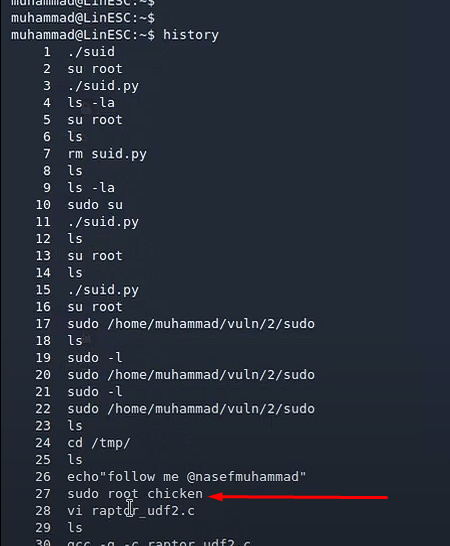
history commandto show the history of commands entered in the terminal, and if the previous user didn't clear commands history we can see it.
We can see here in the history that the user wanted to switch to root user and entered the password “chicken ”
We can clear the history with: